
Delete Your Harmoniq Account
You can permanently delete your Harmoniq account directly from the app.
Delete your account in the app
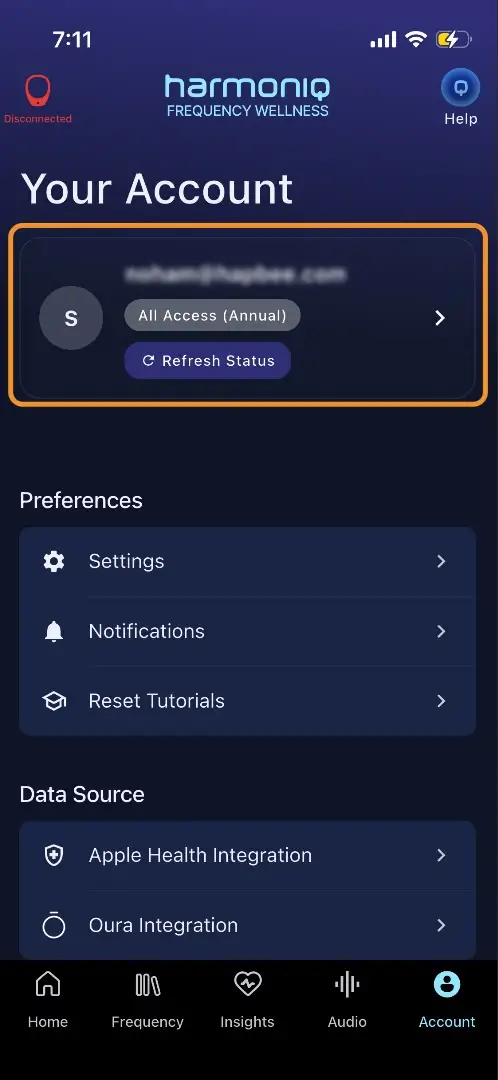
Open the Harmoniq App and tap the Account tab in the bottom navigation.
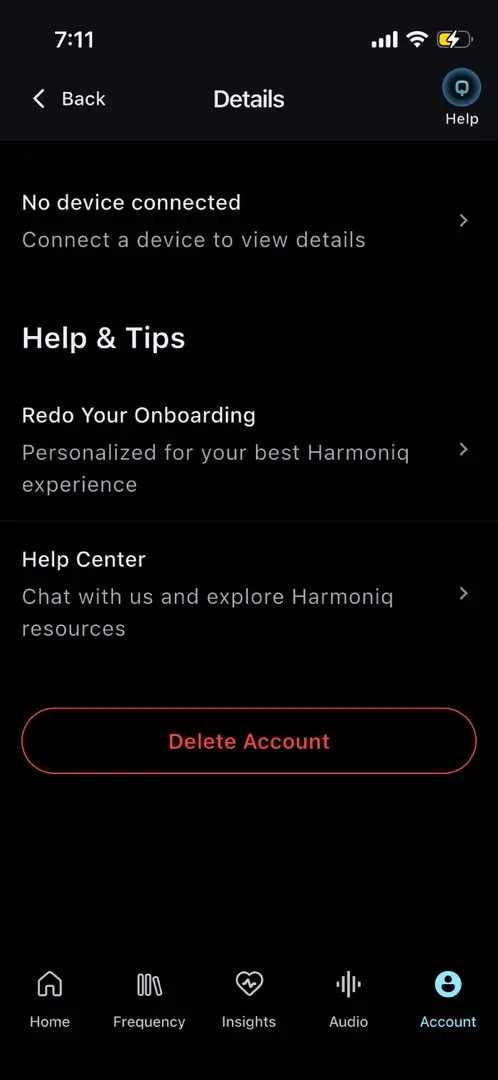
Tap Account Details.
Choose Delete Account and confirm.
 |  | 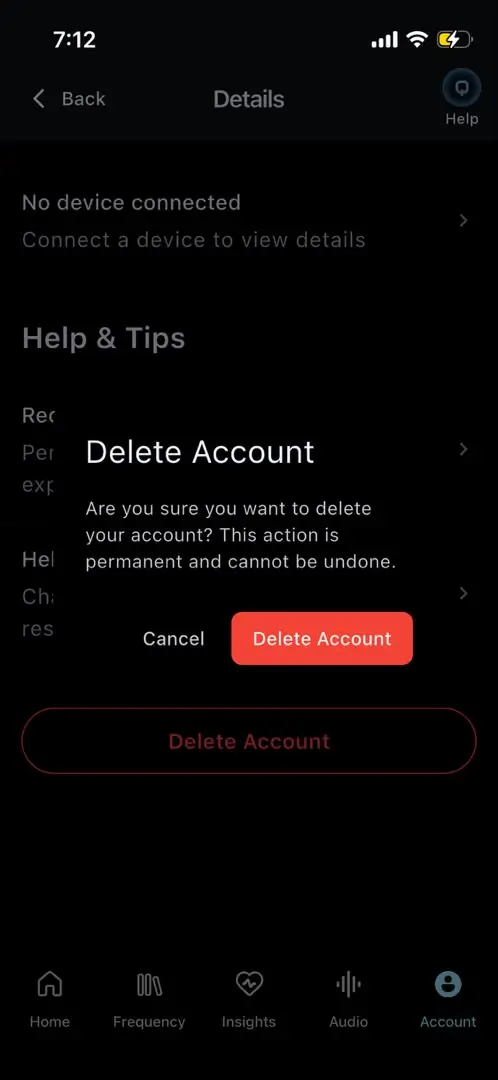 |
Once confirmed, the app will remove your account, clear associated local app data, and sign you out.
What gets deleted
Account deletion is intended as a permanent deletion, not a temporary deactivation.
Data associated with your Harmoniq account may include:
Account and profile information
App activity associated with your account
Connected wellness integration data and authorization tokens
Other information stored as part of your Harmoniq App experience
Certain information may still be retained where required for legal, regulatory, security, accounting, fraud-prevention, or dispute-resolution purposes, in accordance with Harmoniq's Privacy Policy.
Important: Membership cancellation
Deleting your Harmoniq account and cancelling a paid membership are separate actions.
If you have an active paid membership and do not want future charges, cancel your membership before deleting your account through your Harmoniq membership or subscription settings.
Deleting your account should not be relied on as a substitute for cancelling your membership.
Request deletion by email
You can also request account and data deletion by contacting:
Data retention
Harmoniq retains personal information only for as long as necessary to provide its services and for legitimate business or legal purposes, including complying with legal obligations, resolving disputes, maintaining security, and enforcing agreements.
For complete information about how Harmoniq collects, uses, stores, and deletes personal information, please refer to the current Privacy Policy on feelharmoniq.com.